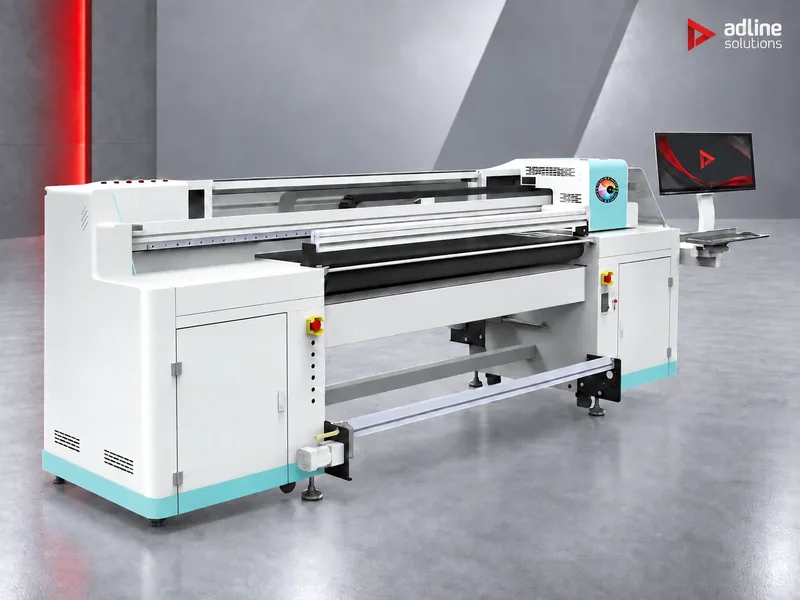
Start from what you print
UV ink cures the moment the UV light hits it, so it prints on almost anything: boards, objects, rolls and film. That is also why the machines differ so much. Find your work in the table first; it decides the type of printer before anything else.
| What you print | Typical materials | Printer type | Where to start |
|---|---|---|---|
| Rigid boards and signage | Forex and foam PVC, acrylic, ACP, wood, glass panels, doors | Flatbed | Galaxy F13 up to 1.25 m; Galaxy F32 or XTRA3220LED for 3.2 × 2.0 m boards |
| Personalised items and small objects | Phone cases, gifts, awards, promotional items, small signs | Compact flatbed | UD-03WBYV on a desk; UD-09R3BGV or F96 CQ at 900 × 600 mm |
| Bottles, tumblers and curved objects | Drinkware, cylinders, round and irregular shapes | 6-in-1 with rotary, or UV DTF | UD-0900BRV+ |
| Banners and roll media | Frontlit, backlit, mesh, self-adhesive vinyl, paper | Roll-to-roll | UD-18R2LU at 1.8 m; UD-3200BEW or Galaxy BN at 3.2 m; Flora Xtra roll-to-roll for volume |
| Both boards and rolls | A sign shop that mixes rigid and roll jobs | Hybrid | UD-1800BPV, Flora X20, UD-32L8BPV, XTRA3300H, XTRA 5000H Pro |
| UV DTF stickers and transfers | Transfer stickers for curved or uneven surfaces, gold and silver effects | UV DTF | UD-06R3CLV or UD-13R3CLV |
Step 1: flatbed, roll-to-roll, hybrid or UV DTF
| Type | How it prints | Strong at | Watch out for |
|---|---|---|---|
| Flatbed | The board or object lies still on a vacuum table and the carriage moves over it | Thick, heavy and rigid material up to 100 mm; exact registration; objects in jigs | Roll media needs an optional roll unit, where one exists |
| Roll-to-roll | Media runs from roll to roll under tension, with automatic take-up | Long runs of banners, backlit, vinyl and paper, with automatic take-up | Media up to 1–2 mm only; no boards |
| Hybrid | A belt or rollers carry boards through the printer; rolls feed on the same machine | Rigid and roll work on one machine and one footprint | Boards up to 51 mm on the Flora hybrids and 100 mm on the Galaxy BPV hybrids; one machine stops both lines when it stops |
| UV DTF | Prints a sticker on transfer film, which is then laid onto the object by hand | Curved, uneven or oversized items that cannot go under a print head | An extra application step per item |
| Multi-function | Flatbed, rotary, UV DTF and roll-to-roll in one compact machine, as on the UD-0900BRV+ | Shops with a mix of objects, bottles and stickers | A 900 × 600 mm bed: built for variety rather than large boards |
A simple rule: if most of your work comes on boards and objects, buy a flatbed; if it comes off a roll, buy a roll-to-roll. Choose a hybrid when both kinds of work are real every week and you have room for only one machine. When one side is clearly the larger share, the specialist printer for that side usually serves better, and the other side can follow later.
Step 2: size it to your boards and rolls
Size a flatbed to the largest board you print, not the average one, and a roll printer to the widest roll you buy. A bed that takes a full board saves cutting it down first: the Galaxy F32 has a 3250 × 2050 mm table with five vacuum zones laid out for standard board formats.
| Format | Flatbed | Hybrid | Roll-to-roll and UV DTF |
|---|---|---|---|
| Up to A3 (300 × 380 mm) | UD-03WBYV | — | UD-03WBYV prints UV DTF film too |
| 600 to 900 mm | UD-09R3BGV, F96 CQ, UD-0900BRV+ (900 × 600 mm) | — | UD-06R3CLV, 600 mm film |
| 1.25 to 1.3 m | Galaxy F13 (1250 × 1240 mm) | Galaxy CSV (1300 × 700 mm bed, 1300 mm rolls) | UD-13R3CLV, 1300 mm film |
| 1.8 to 2.0 m | — | UD-1800BPV (1800 mm); Flora X20 (2000 × 2000 mm boards) | UD-18R2LU (1800 mm) |
| 3.2 to 3.3 m | Galaxy F32, XTRA3220LED (3200 × 2000 mm) | UD-32L8BPV (3220 mm); XTRA3300H (boards 3300 × 2500 mm) | UD-3200BEW, Galaxy BN (3200 mm); Flora Xtra roll-to-roll (3300 mm) |
| 5 m | — | XTRA 5000H Pro (boards 5000 × 2500 mm) | Flora Xtra roll-to-roll (5000 mm) |
Check thickness as well as area. The flatbeds take boards and objects up to 100 mm, the UD-0900BRV+ objects up to 500 mm tall, the Galaxy CSV up to 50 mm and the Flora hybrids up to 51 mm. Roll printers take media up to 1 mm (UD-3200BEW) or 2 mm (Flora Xtra roll-to-roll).
Step 3: printheads and real speed
The printhead sets the finest detail and, with the number of heads, the speed. Our range uses three head families.
| Printhead | Drop size | Used on | Chosen for |
|---|---|---|---|
| Epson i3200-U1 | 3.8 to 9.3 pl in greyscale | Compact and mid-size Galaxy printers, UV DTF printers, UD-18R2LU, UD-3200BEW | Fine detail and small text on objects; an efficient head for compact machines |
| Ricoh Gen6 | 5 to 15 pl in greyscale | Galaxy F32, Galaxy BN, UD-1800BPV, UD-32L8BPV | Industrial production on boards and rolls |
| Konica Minolta KM-1024A | 6 to 18 pl in greyscale (4 to 12 pl on the XTRA3220LED) | Flora hybrids and roll-to-roll, XTRA3220LED (which also takes Epson T3200 heads), Galaxy F32 option | High-volume industrial production; up to 24 heads |
Read speed figures with care. They are quoted in draft, standard and quality modes, with 4, 6 or 8 passes, and quality mode runs at roughly half the draft speed: the Galaxy F32 with Ricoh Gen6 heads gives up to 208 m²/h in draft and 105 m²/h in quality. Some roll printers are quoted in 2-pass mode. Compare machines only in the same mode and with the same colour set, and size the printer to the speed you need in the mode you will sell.
More heads mean more speed on the same machine: the UD-09R3BGV goes from 17 m²/h with W + CMYK + V to 65 m²/h with 4 × CMYK, both in draft mode.
Step 4: white, varnish and special effects
- White is printed under or over the colour on transparent, dark and metal surfaces: clear acrylic, glass, black boards. Without it, colour on clear material looks washed out.
- Varnish adds gloss, selective spot effects and protection. A second varnish channel, as on the F96 CQ and UD-03WBYV (optional on the UD-0900BRV+), builds texture and raised effects.
- Multi-layer printing lays colour, white and varnish in one pass: colour-white-colour for backlit and double-sided views, white-colour-varnish for effects. The Flora hybrids and the XTRA3220LED print three layers in one pass.
- Light cyan and light magenta give smoother skin tones and gradients; they are standard on the Galaxy F32 with KM-1024A heads and optional on the Flora hybrids and roll-to-roll printers.
- Gold and silver effects on UV DTF stickers come from the optional glue channel of the UD-06R3CLV and UD-13R3CLV.
Decide the channels before you order: white and varnish take printhead positions, and a configuration is fixed when the printer is built.
Step 5: check your materials and your workshop
- Adhesion: UV ink bonds to most plastics, wood and coated boards, but glass, metal and some plastics can need a primer. Name every material when you ask for a quote.
- Rigid or flexible work: prints that will be bent, stretched or applied to curves need an ink that stays flexible; prints on glass, metal and hard plastic need one that cures hard. Tell us how the print will be used.
- Room: the printers in our range work between about 20 and 30 °C, with controlled humidity. Plan ventilation for the printing room.
- Power: most models run on single-phase 220 V. The large Flora printers need two separate supply inputs, for example 25 A + 25 A on the XTRA3300H.
- Access and floor: the large printers are heavy: 1,300 kg net for the Galaxy F32, 3,000 kg for the XTRA3300H and 4,000 kg for the XTRA 5000H Pro. Check doors, delivery route and floor loading.
Examples
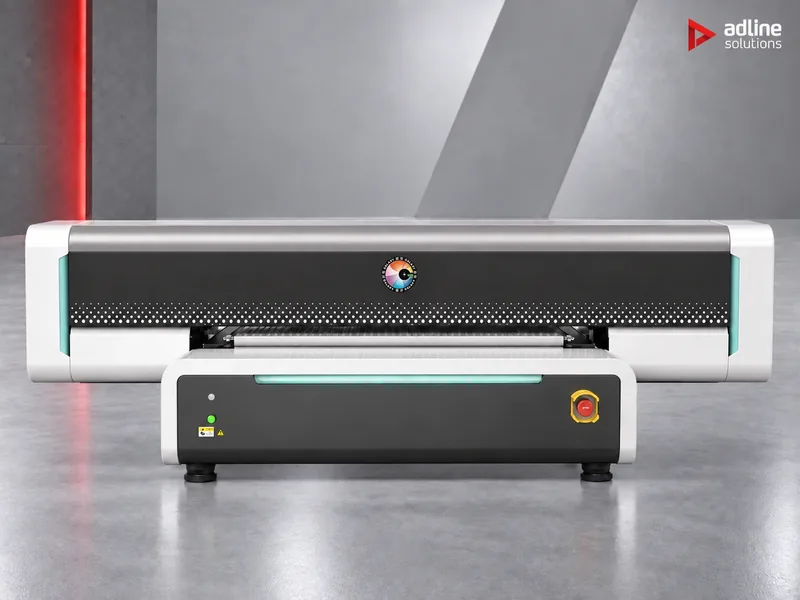
Gift and promotional shop printing phone cases, awards and small signs.
UD-09R3BGV: 900 × 600 mm, vacuum table, automatic height detection, and up to four Epson i3200-U1 heads.
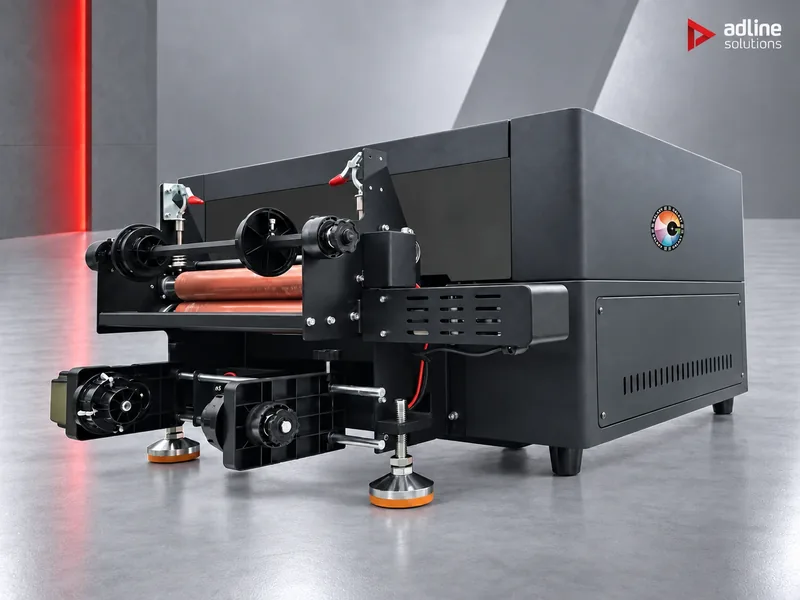
Personalisation counter with little space.
UD-03WBYV: A3 desktop printer for objects up to 100 mm, which also prints UV DTF stickers for curved items.
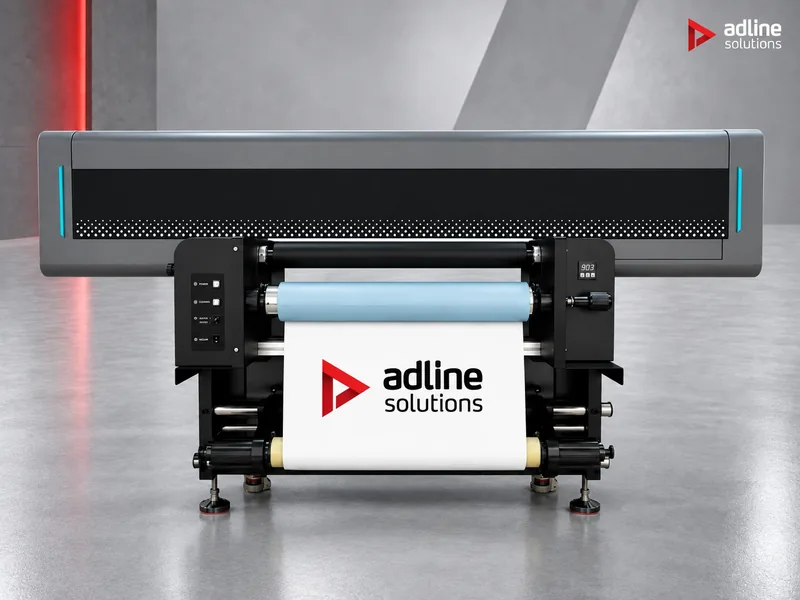
Drinkware and promotional bottles.
UD-0900BRV+: flatbed, rotary, UV DTF and roll-to-roll in one machine, for objects up to 500 mm tall.
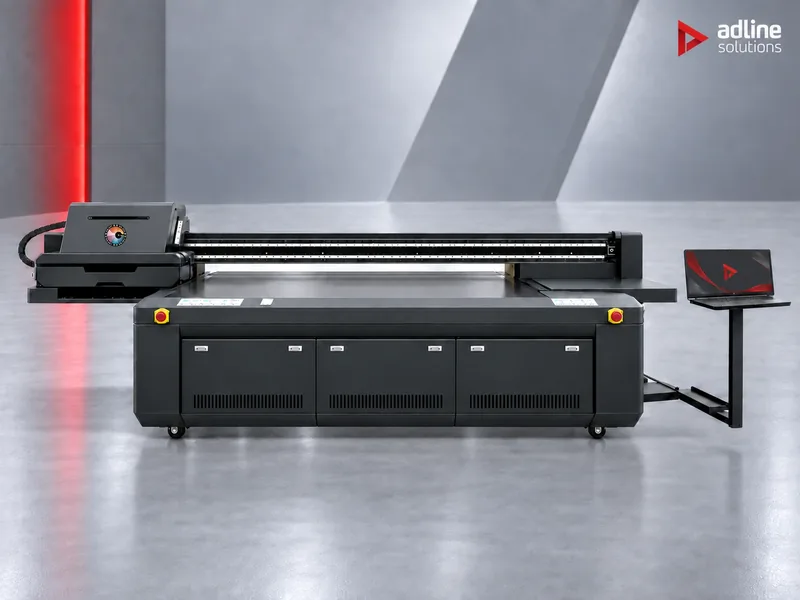
Sign shop printing full boards of Forex, acrylic and ACP.
Galaxy F32: 3.2 × 2.0 m with five vacuum zones, up to 208 m²/h with Ricoh Gen6 heads in draft mode.
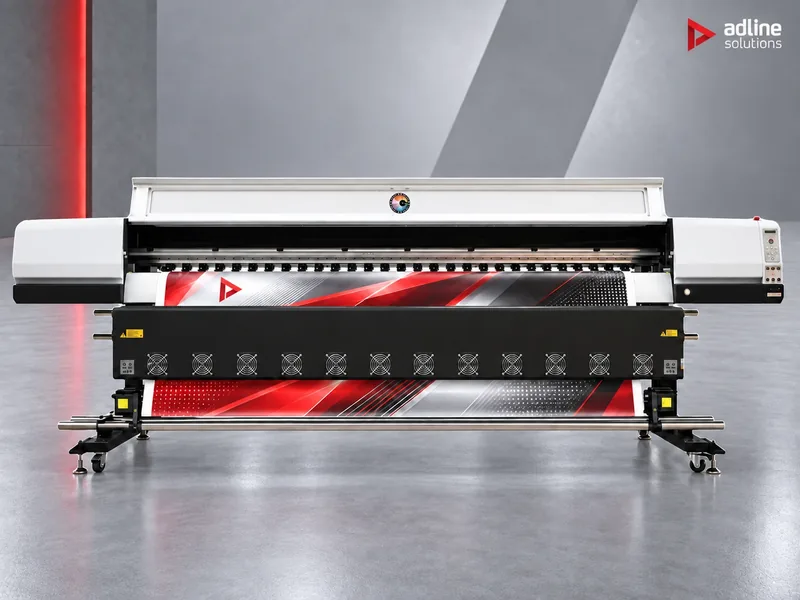
Banner and backlit printer at 3.2 m.
UD-3200BEW: one to four Epson i3200-U1 heads; prints frontlit, backlit, mesh and vinyl at up to 195 m²/h in 2-pass mode.
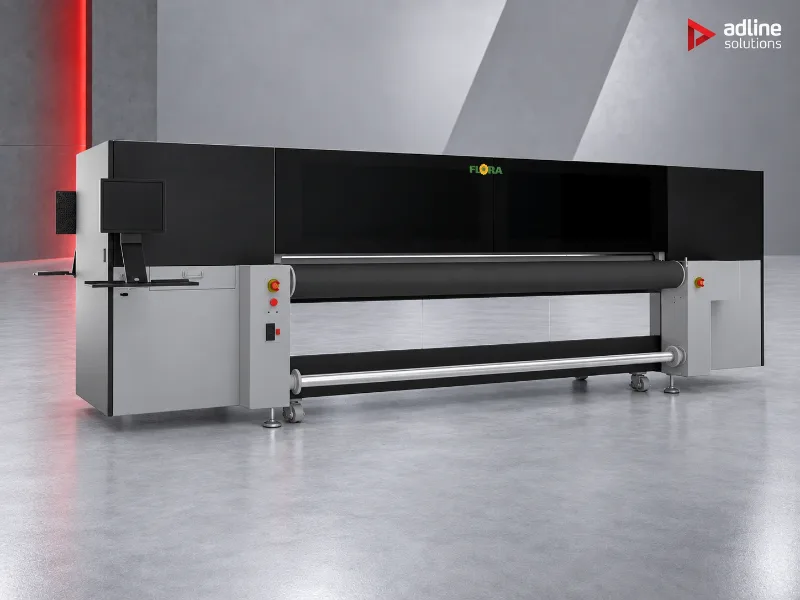
Sign producer with rigid and roll jobs every day.
XTRA3300H: rolls up to 3300 mm and boards up to 3300 × 2500 mm and 51 mm thick, with KM-1024A heads.
Before you order
- Send us the materials you print, the largest board or roll width, and your monthly volume in m² or pieces. We recommend the printer, the heads and the colour channels.
- Tell us which effects you sell: white, varnish, texture, gold and silver. They fix the configuration.
- Check the room, the power supply and the access route against the printer's dimensions and weight.
- Installation, operator training and technical service are available and quoted per machine and country.
- You can see printers running in our Bucharest showroom, by appointment.
Frequently asked questions
Flatbed or hybrid: which UV printer do I need?
A flatbed if most of your work is rigid boards, thick material or objects: the work stays still on a vacuum table, up to 100 mm thick. A hybrid if you print both boards and rolls every week and want one machine for both; boards go up to 51 mm on the Flora hybrids and 100 mm on the Galaxy BPV hybrids.
Can a UV printer print on bottles and tumblers?
Yes, in two ways. The UD-0900BRV+ has a rotary mode that prints directly on cylinders. For curved or uneven items that do not fit a rotary, print a UV DTF sticker and apply it by hand.
Do I need white ink?
Yes, if you print on clear, dark or metal surfaces such as clear acrylic, glass or black boards. White is printed under the colour so it stays bright. Choose the white channel when you order, as it is part of the head configuration.
Which printhead is better: Epson, Ricoh or Konica Minolta?
They suit different machines. The Epson i3200-U1 has the smallest drops, from 3.8 pl, and suits compact printers and fine detail. Ricoh Gen6 and Konica Minolta KM-1024A heads run on our industrial board and roll printers, where throughput comes first.
How fast is a UV printer really?
Compare speeds in the same pass mode. Quality mode runs at roughly half the draft speed: for example 208 m²/h in draft and 105 m²/h in quality on the Galaxy F32 with Ricoh Gen6 heads.
Does UV ink stick to glass and metal?
Often it needs a primer on glass, metal and some plastics. Tell us your materials when you ask for a quote, so the ink and any primer can be matched to them.