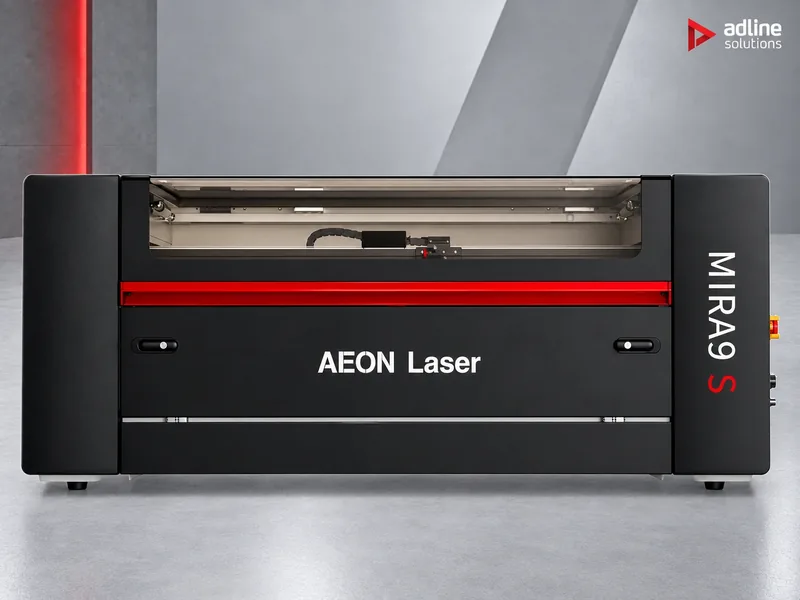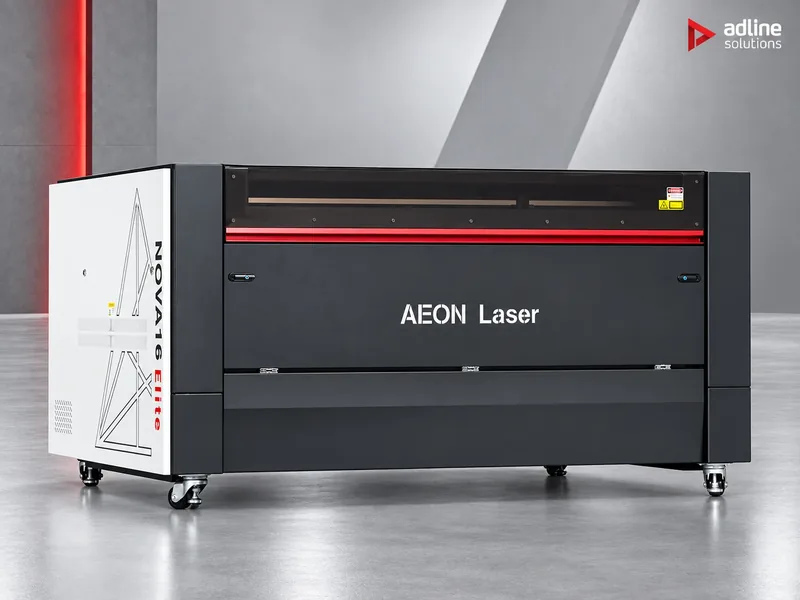
Start from what you make
The same laser behaves very differently in a sign shop, a furniture workshop and a gift studio. Find your application first: it tells you which of the next steps matters most.
| Application | Typical materials | What decides the choice | Where to start |
|---|---|---|---|
| Signs, displays and acrylic | Acrylic, plastics, foam board | Bed size for full sheets, and Glass power for clean, polished acrylic edges | Nova14 Elite or Nova16 Elite; Nova14 Super if panels carry small engraved text |
| Wood, plywood and MDF parts | Plywood, MDF, solid wood | Glass power for the thickness, compressor air assist, and an extractor built for wood smoke | Nova Elite for full sheets; Hanma HM for a 1600 × 1000 mm bed |
| Personalised items and engraving | Wood, leather, acrylic, glass, rubber | Engraving speed and fine detail, a camera to place the job, and rotary devices for round objects | Mira7 S or Mira9 S with an RF source, plus a rotary |
| Paper, card and packaging samples | Paper, card, greyboard | Fast, precise cutting of thin material, and a camera to place the cut on the sheet | Mira S with a Glass source; Nova Elite for large boards |
| School, makerspace or prototyping | Plywood, acrylic, card | A compact machine that is easy for many users: camera, AutoFocus, WiFi and an integrated chiller | Mira5 S or Mira7 S, on the drawer table |
| Printed textiles from the roll | Polyester and printed fabric | A camera that sees the whole bed and cuts along the printed outline, and roll feeding | SM-1815 camera-guided textile cutter |
Whatever the application, two materials need care. Never cut PVC or other chlorinated plastics on a CO₂ laser. Glass, stone and ceramic are engraved, not cut.
Step 1: size the bed to your sheets
Start from the largest sheet you buy, not the largest part you make. A bed that takes the whole sheet saves pre-cutting it on a saw and lets you nest parts across the full width. Our range runs from a 500 × 300 mm desktop machine to 1600 × 1000 mm free-standing machines.
| Work area | Machine | Format | Max. Z travel / load |
|---|---|---|---|
| 500 × 300 mm | Mira5 S | Desktop | 140 mm / 15 kg |
| 700 × 500 mm | Mira7 S | Desktop | 140 mm / 25 kg |
| 900 × 600 mm | Mira9 S | Desktop | 150 mm / 25 kg |
| 1000 × 600 mm | Hanma HM (HM-1060) | Free-standing | — |
| 1000 × 700 mm | Nova10 Elite, Nova10 Super | Free-standing | 200 mm / 120 kg |
| 1300 × 1000 mm | Hanma HM (HM-1310) | Free-standing | — |
| 1400 × 900 mm | Nova14 Elite, Nova14 Super | Free-standing | 200 mm / 120 kg |
| 1600 × 1000 mm | Nova16 Elite, Nova16 Super, Hanma HM (HM-1610) | Free-standing | 200 mm / 120 kg (Nova) |
Z travel matters as much as the bed when you engrave objects rather than sheets: boxes, frames, thick blocks or anything on a rotary device. The free-standing Nova machines lower the table by 200 mm and carry up to 120 kg; the desktop Mira S machines take 140 to 150 mm and up to 25 kg.
Step 2: choose the source: Glass, RF or both
Every machine in the Redline range uses one of two CO₂ sources, or both. The Glass tube is the cutting source; the RF tube is the engraving source. Choose by what most of your hours go to.
| Glass tube | RF tube | |
|---|---|---|
| Used for | Cutting, and engraving at standard speed | Fast engraving and fine detail |
| Power in our range | 45 to 150 W (260 W optional on the Nova16 Super) | 30 or 60 W |
| Engraving speed | Up to 1,200 mm/s | Up to 3,400 mm/s (Mira5 S), 4,000 mm/s (Mira7 S, Mira9 S, Nova10 Super), 4,200 mm/s (Nova14 Super, Nova16 Super) |
| Motion | DC stepper motors, 5G acceleration | AC servo motors, 8G acceleration |
| Smallest text | — | 1.0 × 1.0 mm |
| Cooling | Water, integrated chiller | Air-cooled |
How the source options map to the range:
- Mira S (desktop): one source, Glass or RF. Choose Glass if you cut regularly, RF if the work is mostly engraving.
- Nova Elite (free-standing): Glass only, 90 to 150 W depending on bed size. The machine for cutting large sheets.
- Nova Super (free-standing): both sources in one machine. The part is clamped once and cut and engraved on the same coordinates, so large panels can carry fine engraved detail.
- Hanma HM: Glass, 100 W as standard with 130 or 150 W as options, cutting up to 20 mm and engraving at up to 500 mm/s.
Power decides how thick and how fast you can cut, so size it to the thickest material you cut every week rather than the thickest you might cut once. A Glass tube is a consumable with a service life of roughly 5,000 hours; plan for a replacement in a machine that cuts all day. For high-power machines we also supply the Reci W-series generation 3.0 tube, rated 90 to 150 W.
Step 3: desktop or free-standing
Beyond bed size, the two families differ in what is built into the machine for long production runs.
| Mira S (desktop) | Nova Elite and Nova Super (free-standing) | |
|---|---|---|
| Chiller (Glass source) | Integrated Chiller 3000 (Mira5 S, Mira7 S), Chiller 5000 (Mira9 S) | Integrated Chiller 5000 (Nova10) or 5200 (Nova14, Nova16) |
| Air assist | Integrated pump, 45 W (Mira5 S) or 85 W with automatic start/stop | 750 W compressor with a 24 L (Nova10) or 40 L tank |
| Exhaust fan | 60 or 75 W inline | 500 W, integrated, runs automatically with the job |
| Camera | 5 MP, 160° (Mira5 S) or 90° | 8 MP, 100° |
| Smart Panel diagnostics | Mira7 S and Mira9 S | Yes |
| Stand | Optional drawer table for each Mira S size | Own free-standing frame |
| Net weight | 110 to 220 kg | 415 to 566 kg |
A Mira S does not have to sit on a bench. For each size, Mira5 S, Mira7 S and Mira9 S, there is a drawer table: a stand that brings the machine to a comfortable working height and keeps lenses, rotaries and consumables in drawers underneath. With it, a desktop laser stands on its own on the shop floor, at a fraction of the footprint and weight of a Nova.
All Redline machines have AutoFocus, WiFi and both a honeycomb and a slat table, and run on RDWorks, with LightBurn as an option; artwork comes from CorelDraw, Illustrator or AutoCAD.
Choose a Mira S when the laser shares a room with people and other work, and jobs are short. Choose a Nova when the laser runs for most of the shift: the larger chiller holds tube temperature through long cutting jobs, and the compressor keeps air pressure steady across a large bed.
Step 4: plan extraction and accessories
The exhaust fan built into the machine moves smoke out of the cabinet; it does not filter it. Either duct it outside, or connect a filtration unit that returns clean air to the room. For acrylic, plastics and leather we recommend the PURE-AIR FS series, for example PA-FS800 for a 90 × 130 cm bed; for wood, plywood and MDF the FGS series, for example PA-FGS1600. Our guide How to choose a fume extractor sizes the unit to the bed.
Do not cut PVC or other chlorinated plastics on any CO₂ laser: the fume is harmful and corrodes the optics and the mechanics. If you are not sure what a material contains, send us the data sheet before you cut it.
Accessories worth deciding at the same time:
- Rotary devices for engraving round objects: the R7C13 roller rotary for straight-sided tumblers, bottles and pipes; the R7C14 chuck rotary for glasses, mugs and bracelets from Ø5 to 75 mm; the Octopus Duo 3-in-1 for cylindrical, conical, spherical and irregular objects up to Ø100 mm.
- Focusing lenses: the Mira machines use a 2.0" lens as standard and the Nova machines a 2.5" lens; 2" and 4" lenses are options, depending on the model, for finer engraving or thicker cutting.
Examples
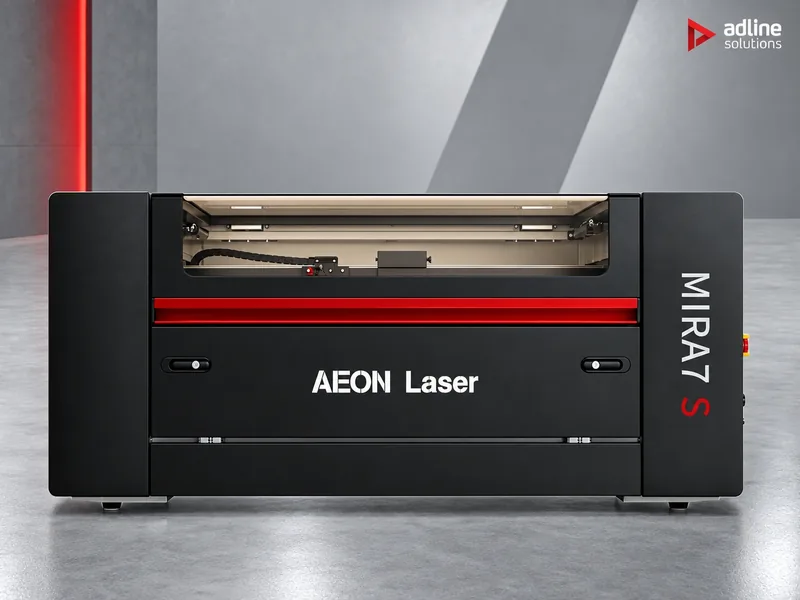
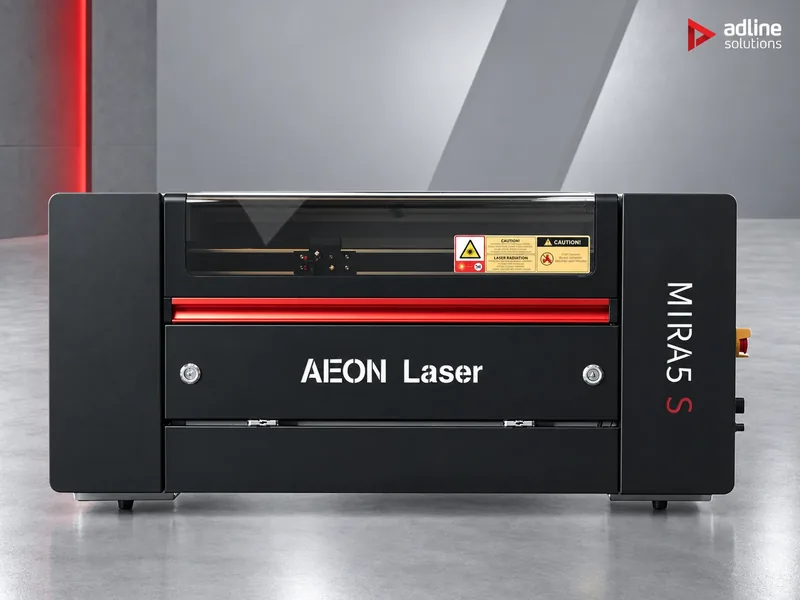
School, makerspace or design studio with little floor space.
A Mira5 S, the most compact Redline machine, with a 45 or 60 W Glass source for cutting card, plywood and acrylic, an integrated chiller, and the drawer table as its stand.
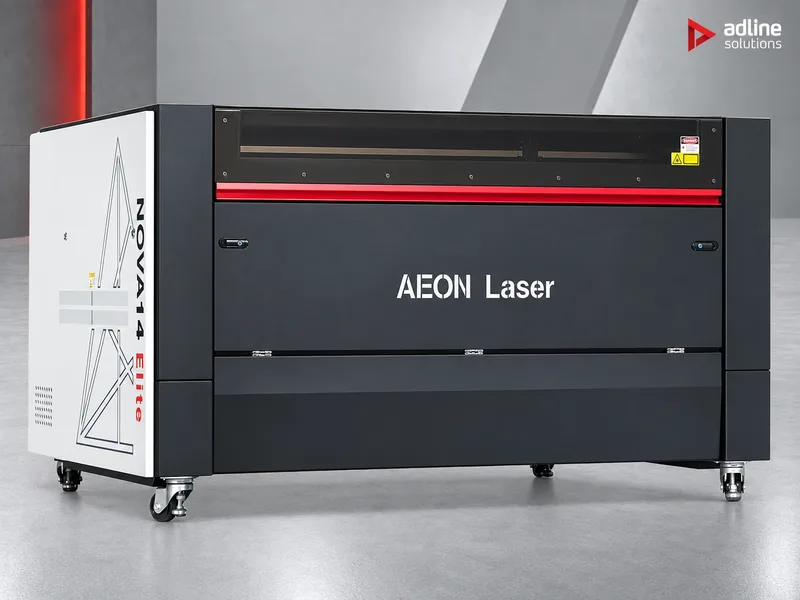
Sign shop cutting acrylic letters and panels from large sheets.
A Nova14 Elite with a 130 W Glass source, or a Nova16 Elite for a 1600 × 1000 mm bed, with compressor air assist for clean edges across the whole bed.
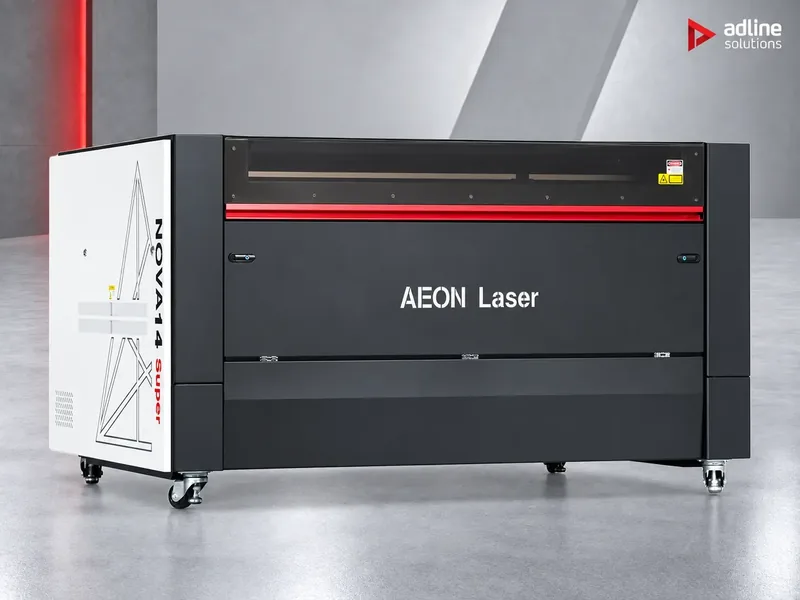
Signage and control panels that need both cutting and small engraved text.
A Nova14 Super: the Glass tube cuts the panel and the RF tube engraves the detail, without moving the part.
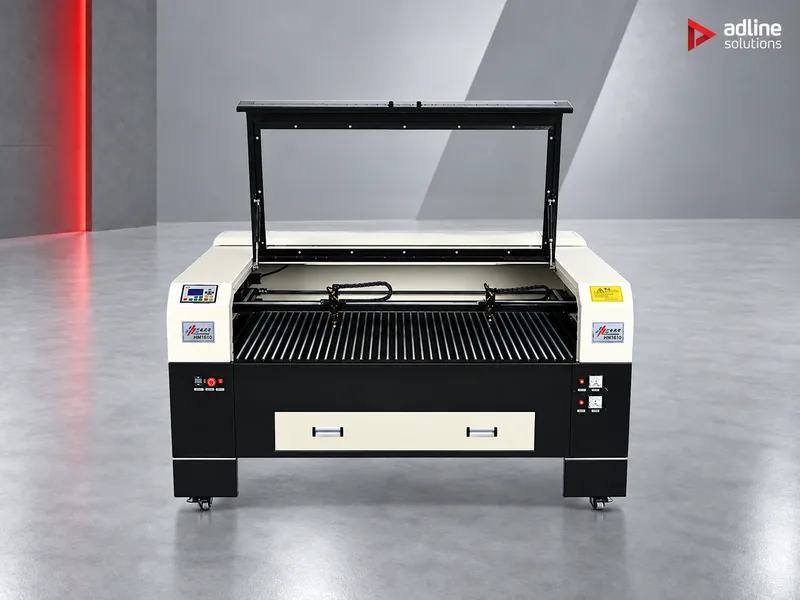
Workshop cutting plywood and MDF parts from full sheets.
A Hanma HM with the 1600 × 1000 mm bed, 100 W as standard and cutting up to 20 mm, with an FGS-series extractor for wood smoke.
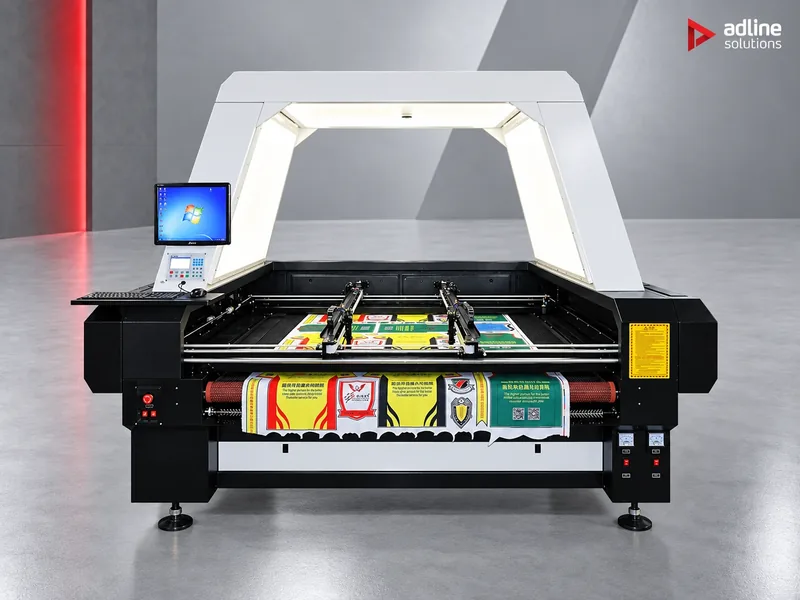
Textile printer cutting sublimated fabric along the printed outline.
The SM-1815 camera-guided textile cutter photographs its whole 1800 × 1500 mm bed in one capture and cuts on the printed contour, even when the fabric has stretched.
Before you order
- Send us the size of the sheets you buy, the materials and thicknesses you cut, and roughly how your hours split between cutting and engraving. We will recommend the bed, the source and the power.
- Check the access route: the Nova16 machines are packed at 2100 × 1510 × 1125 mm and weigh up to 730 kg packed, the Nova14 at 1900 × 1410 × 1125 mm.
- Plan the extraction, ducting or filtration unit, at the same time as the laser.
- Installation, operator training and technical service are available and quoted per machine and country.
- You can see the machines running in our Bucharest showroom, by appointment.
Frequently asked questions
Glass or RF: which CO₂ source do I need?
Glass if you cut regularly: it offers more power, from 45 to 150 W in our range. RF if most of your work is engraving: it runs at up to 4,200 mm/s with AC servo motors and engraves text down to 1 × 1 mm. If you need both every day, the Nova Super machines carry both sources.
How long does a CO₂ glass laser tube last?
Roughly 5,000 hours of service. The tube is a consumable and is replaced like any other wear part; we supply AEON glass tubes from 45 to 150 W and the Reci W-series tube for high-power machines.
Do I need a separate water chiller?
No. Every AEON Redline machine with a Glass source has its chiller built in, from the Chiller 3000 on the smaller Mira S machines to the Chiller 5200 on the Nova14 and Nova16. The RF source is air-cooled.
Is the built-in exhaust fan enough?
Only if you duct it outside. The fan removes smoke from the machine but does not filter it. To return clean air to the room, connect a fume extractor sized to the bed: PURE-AIR FS series for acrylic and plastics, FGS series for wood and MDF.
Which software do the machines use?
RDWorks, with LightBurn as an option. You can prepare artwork in CorelDraw, Illustrator or AutoCAD.