What eco-solvent prints well
Eco-solvent ink bonds into solvent-compatible roll media and stays flexible once dry. That makes it the established choice for graphics that are stretched, rolled or installed outdoors.
Wraps and decals
- Vehicle wraps, fleet graphics and window decals on self-adhesive vinyl
- The print stretches with the film over curves and rivets
Banners and mesh
- Frontlit and backlit banner, mesh for scaffolding and buildings
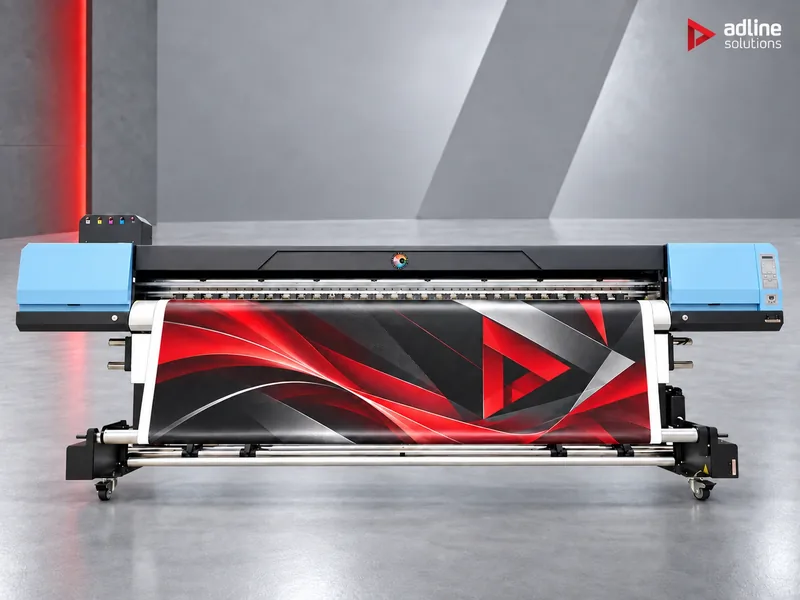
- Up to 3.2 m wide in one piece on the UD-3200BE
Posters and point of sale
- Paper and other coated roll media
- Indoor prints viewed up close, in standard or quality mode
Know the limits
- Roll media only: no rigid boards
- Our eco-solvent models print CMYK, without white
- Prints need drying time; the room needs ventilation
If you also print rigid boards or need white ink, read our guide to printing technologies first: a UV hybrid or roll-to-roll printer may be the better first machine.
How an eco-solvent roll printer works
- The carriage moves across the media and the heads lay the ink in several passes. The more passes, the finer the result and the lower the output.
- Heating and drying start the evaporation of the solvent on the printer, so the print can be wound up. Full drying continues afterwards, off the printer.
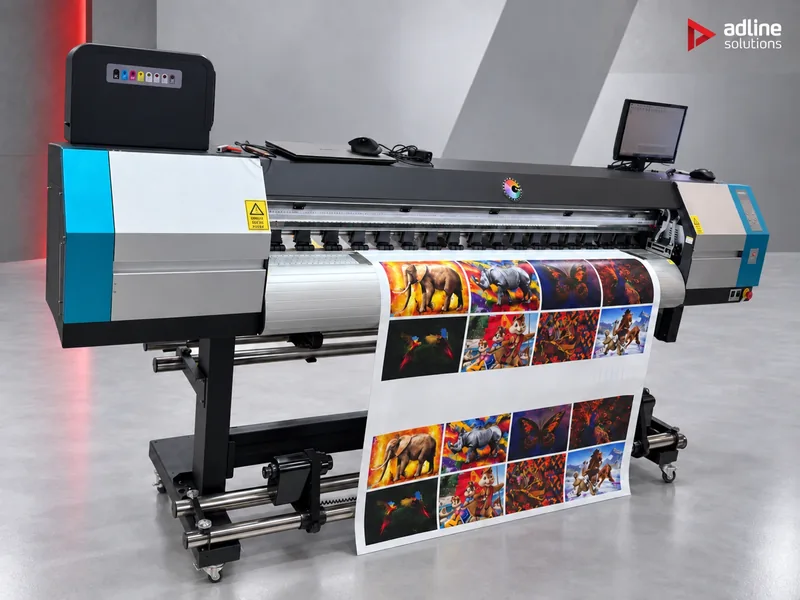
- Media transport: on a wide printer, keeping the media straight matters most. The UD-3200BE drives its pressure rollers electrically and controls them from four points; the CL models run the carriage on a linear rail, with 8 mm of height adjustment for thicker media and anti-collision guards on both sides.
- The RIP prepares the files, manages colour and sends the job to the printer. Our eco-solvent printers work with FlexiPrint.
Step 1: choose the print width
Start from the widest job you print regularly, not the occasional one. A wider printer also prints narrow rolls, but it takes more floor space and more media in stock.
| Print width | Typical work | Our printer | Machine size |
|---|---|---|---|
| 1600 mm | Decals, vehicle graphics and posters on standard vinyl rolls | UD-16R2CL, one or two Epson i3200-E1 heads | 2716 × 718 × 1675 mm, 200 kg |
| 1800 mm | Vinyl, banners and posters, with room for wider banner rolls | UD-18R2CL, one or two Epson i3200-E1 heads | 2976 × 718 × 1675 mm, 204 kg |
| 3200 mm | Wide banners and mesh in one piece, building wraps, billboard prints; rolls up to 100 m long | UD-3200BE, one to four Epson i3200-E1 heads | 4480 × 920 × 1225 mm, 427 kg |
Leave working space around the machine for loading rolls and handling prints, and a separate area where prints can dry before they are laminated or rolled up.
Step 2: print modes and the number of heads
A print mode sets how many passes the carriage makes over each strip of media. Fewer passes print faster; more passes print finer detail and smoother solids. The manufacturer publishes three modes for the CL printers, measured with one head on the 1.8 m model:
| Mode | Passes | Output, one head | Typical use |
|---|---|---|---|
| Draft | 3 | 34 m²/h | Banners and mesh viewed from a distance |
| Standard | 4 | 26 m²/h | Most signage, decals and vehicle graphics |
| Quality | 6 | 17 m²/h | Posters, point of sale and graphics viewed up close |
To size the printer, divide your monthly square metres by the output of the mode you print in most. The table gives the printing hours a month with one head on the 1.6 or 1.8 m printer, before media changes, nozzle checks and maintenance:
| Monthly volume | Draft (34 m²/h) | Standard (26 m²/h) | Quality (17 m²/h) |
|---|---|---|---|
| 500 m² | about 15 h | about 19 h | about 29 h |
| 1,000 m² | about 29 h | about 38 h | about 59 h |
| 2,000 m² | about 59 h | about 77 h | about 118 h |
| 4,000 m² | about 118 h | about 154 h | about 235 h |
- One head suits most shops up to about 1,000 – 1,500 m² a month, depending on the mode.
- Two heads on the UD-16R2CL or UD-18R2CL raise the output when the hours no longer fit your shifts, or when urgent jobs wait behind long banner runs. We confirm the two-head figure for the modes you print in.
- The UD-3200BE takes one to four heads; in the top configuration it is rated at 118 m²/h in draft mode (3 pass). Choose the heads for the volume you expect in the next years: they are part of the configuration you order.
Step 3: know your media
Eco-solvent needs solvent-compatible media: the ink has to bond into the surface. Before a large order of a new roll, print a test strip and let it dry. The UD-3200BE lists frontlit, backlit, mesh, self-adhesive vinyl and paper among its media.
| Media | Used for | Mode and settings | After printing |
|---|---|---|---|
| Cast self-adhesive vinyl | Vehicle wraps over deep curves and recesses | Standard or quality; let the print dry fully | Laminate with a matching cast film before installing |
| Calendered self-adhesive vinyl | Flat decals, window graphics, signs and short-term promotions | Standard | Laminate when it will be handled or used outdoors; contour-cut |
| Frontlit banner | Outdoor banners, building and fence banners | Draft or standard | Hemmed and eyeleted; usually not laminated |
| Backlit banner or film | Light boxes, lit from behind | A denser ink setting so the colour holds when lit | Check the colour on the light box before the run |
| Mesh | Scaffold and building wraps where wind must pass | Draft; follow the media maker's advice on a liner | Hemmed, often welded in sections |
| Paper and poster media | Posters, indoor point of sale | Quality for close viewing | Laminate or mount when it will be handled |
Step 4: plan drying, finishing and the room
1Print
Eco-solvent CMYK on roll media, in the mode the job needs.
2Dry
Several hours to a day before lamination, by coverage, media and room.
3Laminate
Protects wraps, floor graphics and outdoor prints.
4Cut
Contour-cut decals and panels on a cutting table or plotter.
5Install
Applied on site: on the vehicle, the window or the frame.
- Drying: eco-solvent prints need from several hours to a day to dry before lamination, depending on ink coverage, media and room conditions. Laminating too early traps solvent under the film.
- Ventilation: plan air exchange in the printing room for the solvent odour, as for any solvent-based process.
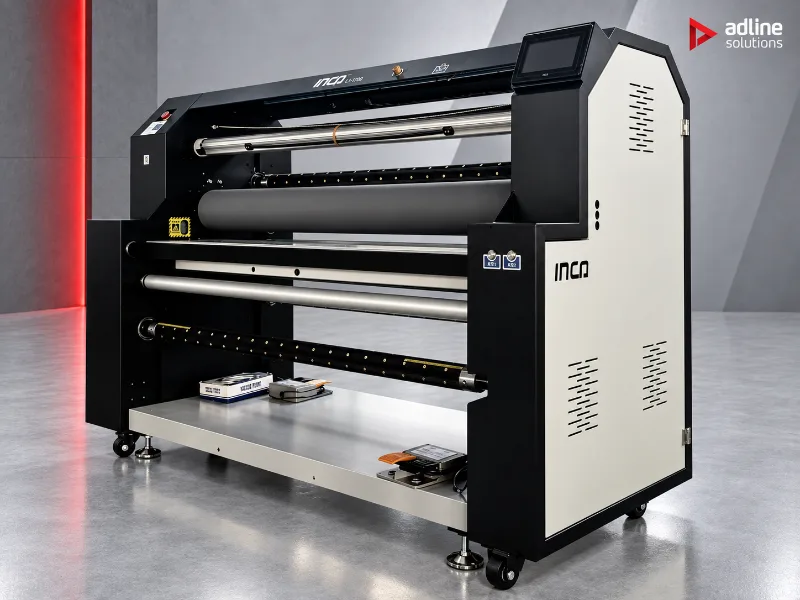
- Lamination: wraps, floor graphics and outdoor prints are usually laminated. The L1-1700 roll laminator works up to 1630 mm wide, at up to 52 m/min, and slits the roll in the same pass.
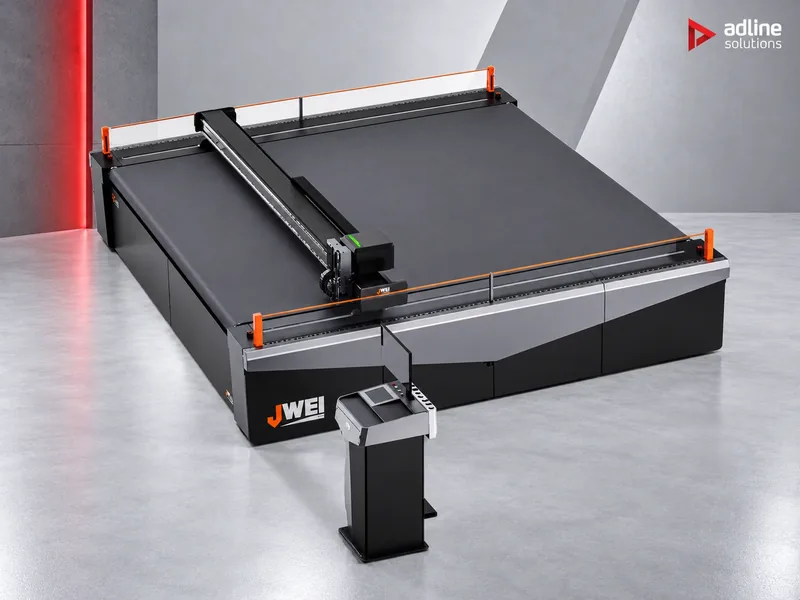
- Cutting: contour-cut decals and panels need a cutter after printing. The Jwei SL cutting table cuts self-adhesive vinyl, vehicle wrap film, banner and boards, with camera positioning to register the print.
- Room conditions: the UD-3200BE is specified for 18 – 30 °C and 35 – 65% relative humidity. Keep the media in the same room, so it is at room temperature when it is loaded.
- Power: the eco-solvent printers in this guide run on single-phase 220 V, at 3.3 – 3.4 kW.
Our eco-solvent printers compared
| UD-16R2CL | UD-18R2CL | UD-3200BE | |
|---|---|---|---|
| Print width | 1600 mm | 1800 mm | 3200 mm; rolls up to 100 m |
| Heads | 1 – 2 × Epson i3200-E1 | 1 – 2 × Epson i3200-E1 | 1 – 4 × Epson i3200-E1 |
| Colours | CMYK eco-solvent | CMYK eco-solvent | CMYK eco-solvent |
| Published output | 34 / 26 / 17 m²/h per head (draft / standard / quality) | 34 / 26 / 17 m²/h per head (draft / standard / quality) | Up to 118 m²/h in draft (3 pass) |
| Carriage and media | Linear-rail carriage, 8 mm height adjustment, anti-collision guards | Linear-rail carriage, 8 mm height adjustment, anti-collision guards | Pressure rollers driven and controlled from four points; anti-crush head protection |
| Drying and ink supply | Ask us for the configuration you need | Ask us for the configuration you need | Triple heating; fan and infrared drying; take-up included; chipless CISS |
| RIP | FlexiPrint | FlexiPrint | FlexiPrint |
| Power | 3300 W | 3400 W | 220 V, 3400 W |
| Size and weight | 2716 × 718 × 1675 mm, 200 kg | 2976 × 718 × 1675 mm, 204 kg | 4480 × 920 × 1225 mm, 427 kg |
Daily care and maintenance
- Nozzle check at the start of every shift: print the test pattern before the first job, and clean only when it shows missing nozzles.
- Keep the printer working: eco-solvent printers prefer regular use; follow the manufacturer's routine for idle days and weekends, which we show at training.
- Capping station and wiper: clean them on the schedule in the manual; they keep the heads sealed and wiped between jobs.
- Dust: keep the room clean and the media covered. Dust and fibres on the media are a common cause of head strikes and missing nozzles.
- Media edges and height: set the carriage height for the media you load, and use the edge guards on thin vinyl, so curled edges do not touch the heads.
Common mistakes
- Buying for the widest job you might get once a year. Print the occasional oversize job in sections, or buy for it when it becomes regular.
- Sizing on draft figures for work printed in quality mode. Quality mode prints at half the draft output; compare in the mode you use.
- Laminating too early. Solvent trapped under the laminate can cause bubbles and lifting later.
- No space for drying. Without it, finished prints wait on the take-up roll and slow the whole shop.
- Untested media. Not every vinyl or banner is made for eco-solvent ink; test a strip before a large order.
Eco-solvent or UV on the roll?
If your work is mostly wraps and long banner runs, eco-solvent is the usual choice. If jobs must leave the same day, if you need white ink, or if you also print rigid boards, compare it with UV roll-to-roll and hybrid printers in our guide to printing technologies and our UV printer guide.
Examples
Glossary
- Pass: one movement of the carriage over a strip of media. A 4-pass mode covers each strip in four passes.
- Draft, standard, quality: the print modes, from fastest to finest.
- Frontlit and backlit: banner lit from the front, and banner or film lit from behind in a light box.
- Mesh: perforated banner that lets wind through, for scaffolding and buildings.
- Cast and calendered vinyl: cast film is thinner and conforms to deep curves; calendered film suits flat surfaces.
- Take-up: the motorised roll that winds the printed media after the dryer.
- CISS: continuous ink supply system: bulk ink containers feeding the heads.
- RIP: the software that prepares files, manages colour and drives the printer.
Before you order
- Send us what you print, the media, the widest roll and your monthly square metres. We recommend the width and the number of heads.
- Check the room: floor space for the printer and for drying, ventilation, and a stable single-phase supply.
- Installation, operator training and technical service are available and quoted per machine and country.
- You can see printers running in our Bucharest showroom, by appointment.
Frequently asked questions
How many print heads do I need?
Divide your monthly square metres by the output per head in the mode you print in. With one Epson i3200-E1 head, the 1.6 m and 1.8 m printers are rated at 34 m²/h in draft, 26 m²/h in standard and 17 m²/h in quality mode. If the hours do not fit your shifts, add a head.
What does a pass mean, and which mode should I print in?
A pass is one movement of the carriage over a strip of media. Draft (3 pass) suits banners seen from a distance, standard (4 pass) most signage and vehicle graphics, quality (6 pass) posters and prints viewed up close.
Can an eco-solvent printer print white?
Not the eco-solvent models we supply: they print CMYK. For white on transparent or coloured media, look at UV roll-to-roll or hybrid printers with a white channel.
Can eco-solvent print on rigid boards?
No. Eco-solvent printers print roll media. Rigid boards are printed on a UV flatbed or hybrid printer, or with a printed vinyl laminated onto the board.
How long do eco-solvent prints need before lamination?
From several hours to a day, depending on ink coverage, media and room conditions. Laminating too early traps solvent under the film.
Can I print backlit graphics with eco-solvent?
Yes, on backlit banner or film. Backlit prints use a denser ink setting so that the colour holds when the light box is on; check a sample on the light box before the run.
Do I need ventilation for an eco-solvent printer?
Yes. Plan air exchange in the printing room for the solvent odour, as for any solvent-based process.
Which software runs the printers?
Our eco-solvent printers work with the FlexiPrint RIP, which prepares the files, manages colour and sends the jobs to the printer.